Showing posts with label loot. Show all posts

Tuesday, 23 July 2019

News: New Mission System, No More Mission Terminal


Since the mission system was introduced in 2010, there have been continuous updates to the system to increase usability, improve features and expanded into new areas of game play. Today the number of missions has grown to over 4000 missions.

This week MindArk announced that in this years third quarter there will be a massive mission system overhaul, implementing a whole new mission system. This new system will be keeping in line with previous statements made by MindArk about making game play more streamline.


Mind Ark has publicly announced that:
"Plans for the most significant overhaul of the mission system to date, which is planned for release in the third quarter of 2019. Planet Calypso will be the first planet to introduce the new mission system. The other Planet Partners will transition to the new system soon afterwards"
One of the new expected main features to be implemented is that shared loot events and hunting in a team will now reward all contributing participants relevant progression in their missions based on relative contribution (whether the contribution is made by damage dealing, healing, or scanning), to compensate for decay.


Missions requiring kills of a specific creature will automatically begin whenever a qualifying creature is killed, removing the need to first interact with a mission terminal. Once a mission stage is completed, an interface will appear with the reward and the next mission stage will automatically begin.

This will make the iron missions more streamline, and more on par with achievements or milestones, and will save time for new people collecting mission.

Further information released about this update hints towards a "Bestiary" window will be added, this is where you will be able to keep track of all relevant information regarding your avatar’s current progression in the new hunting challenges that will be made available.


This overhaul will be a completely new system that will replace the current mission system, it has been stated by Mind Ark that:
"As this is a completely new system that will replace the current mission system, progress in existing missions unfortunately cannot be carried over into the new system. Therefore, we are taking this opportunity to give all participants an alert to the upcoming changes several months in advance so that they have time to complete any active missions."
There will also be a period where both the new and old systems will be in place at once, during which kills on qualifying creatures will result in progress on both the old and new system. This grace period between the two systems will extend approximately one year from the implementation of the new mission system.

After the implementation of the new mission system, if you complete the requirements for the iron mission during the cross over period, you will receive the usual reward, but you will not be able to begin the next mission of the old system. Instead, you will automatically receive the next stage of the new system.

When the one year cross over period has elapsed, all missions from the old system will be disabled for all participants. Progress will no longer be possible for the missions, and uncompleted missions will not provide any rewards. There will be a similar grace period of the implementation of the new mission system for planet partners.

The main reasons for the current changes taking place is down to the existing system being very taxing on the servers. When it was designed, was not intended to be used this way where many players have lots of Iron Missions at the same time.

Game play wise, players were forced to find the missions before hunting just so that they didn’t feel that they lost progression. This will no longer be an issue. With the new systems the mission of the creature will be added automatically if you participate in the kill.

Players will be able to play together and get rewarded for all the activity that they do when in a team. MindArk is also looking to create more interesting missions instead of relying on the Iron Missions for activity.

Originally the grace period was only one month, and based on community feedback was extended to over a year, this is to include kills earned in the migration period.

The new system will include more ranks than the previous iron mission chain. The rewards are different too, you can choose from a larger selection of skills and the iron missions will be repeatable.

Where the current mission system is based on kill count or points, the new system will be based on the contribution calculation. The progression will now be at one place where you can easily track and see it. It can also be compared with others and that can also open up for new challenges in the future.

Thursday, 11 April 2019

Guide: Refining Basics

This guide will teach you about refining the basics resources, many of the resources acquired from hunting and mining need to be refined before being used for crafting. Refining has many other advantages including lowering the weight of what your carrying, creating mind force ammo and pet food.


A basic refiner can be brought from a trade terminal. Refiners come under the tools tab in the inventory (Default key "I"). To equip and use the to refiner, right click on the refiner and equip. To bring up the refiner window press the use tool button (Default key "E").

Once the refiner window is open, simply drag and drop what you want to refine from your inventory into the refiner window, and hit the refine button. It only takes a few seconds to refine, not matter what stack size.

It normally takes multiple resources to refine down into its refined element. The output value will be equal to the value put into the refiner, even if the stack size and weight is less. Any resources left over, they will be returned to the inventory unrefined, for example:

1 Lysterium Stone is worth 0.01 at the trade terminal
1 Lysterium Ingot is worth 0.03 at the trade terminal.
It take 3 Lysterium Stone to make 1 Lysterium Ingot.

Some refinements requires multiples types of resources, creating "Mine Essence" (Mindforce Ammo) or "Nutrio Bars" (Pet Food) are a few of these.

1000 Vibrant Sweat (0.01 TT) + 1000 Force Nexus (10.00 TT) =
1001 Mind Essence (10.01 TT)

1000 One type of found fruit (0.01 TT) + 1000 Sweetstuff (10.00 TT) =
1001 Nutrio Bars (10.01 TT)

The only cost of refinement is down to how economical your refiner is and how much you refine, the refiner will always return the amount of value that will be put into it, but the trade terminal value of the refiner will degrade with use. To be more economical when refining, it is best to refiner larger amounts of resources.

Many miners will refine their own resource before selling, not only to help with weight when going out on longer mining runs, but it also helps with selling the resources, a crafter is more likely to look for refined resources when buying. Although refining is not needed, as many resellers are happy to buy materials and refine it to sell.

Here is a few other examples of simple refinements:
From Hunting:
Animal Hide - Generic Leather
Soft Hide - Soft Leather
Fine Hide - Fine Leather
Wool - Wool Cloth
Thin Wool - Wool Thread
Fine Wool - Fine Textiles
Molisk Enamel Teeth - Molisk Enamel Buttons

From Mining:
Belkar Stone - Belkar Ingot
Lysterium Stone - Lysterium Ingot
Iron Stone - Iron Ingot
Melchi Water - Menlchi Crystal
Alicenies Liquid - Alicenies Gel
Dianthus Liquid - Dianthus Crystal Powder
Crude Oil - Oil

This is a brief overview of how to refine, to see a full list of all the possible refinement recipes in Entropia Universe, Click Here.

Other topics
This topic very briefly touches on many other topics, as refining is the in between of many professions, for example, linking finding fruit, mining and mindforce together, also refining creates a link between hunters, miners and crafters, and even the traders between that:
To read more about the basics of hunting, click here.
To read more about the basics of mining, click here.
To read more about finding fruits and other items on the floor, click here.
To read more about sweating animals for vibrant sweat, click here.
To read more about using mindforce, click here.
To read more about the basics of crafting, click here.
To read more about the basics of trading, click here.


Friday, 22 March 2019

News: Toulan New Tokens And New Weapons


New Mirsal Tokens And Changes To Cards

In the recent Toulan update, New Toulan Mirsal Token (TMT) which will be utilised for various activities and access to instances across the planet, the TMT at this time is used for access to the Qaydar, Baydar and Shamsdar mini instances, with more planned uses for it in the near future.

The New Mirsal Exchanger can be located standing at Nahar City Center, for exchanging sabikah into TMT depending on its value. New sabikah (Bullion) items, in different values (5 Gram , 10 Gram, 20 Gram) can be acquired through CUHOF instances.

The Card Parts Left/Right/Center are no longer available through loot, Maher who now provides Qaydar/Baydar/Shamsdar full cards, trading them for TMT. Salhoob has new dialog options to trade card parts for universal ammo.


New Weapon

A number of new weapons have been released and are set to be discovered, but little information on how these weapons will be discovered, and little details on these weapons are available.

These weapons are more than likely to be found hunting, it is unlikely, but because hardly any information is available, we can not rule out these weapons being crafted.


Better Starting Experience

An overall step by step fix to Toulan's beginner experience has been applied. The new arrivals to the planet  now spawn in a better positioned and the starting area now has a wall preventing new players from wander off instead of following the beginner path.

The mission "Learning To Craft", involving Faiza and Mawlood, now has different requirements and the starter armour blueprint has been changed.


Supporting Sweaters

Vibrant sweat has been added to the recipe of the CUHOF Keys Blueprints and the CUHOF Instances exit spawn point is now better positioned to avoid getting stuck in the door.


Fix Updated Missions

Some missions have been updated and the Toulan team has suggested to abandon and re-take "Cold Cuts Research" (Sarhan standing to the West at Nahar City Center) and "Nahar Outfit Stage 1, 2 and 3" (Uthman standing at Nahar City Majlis).

Doing this will not clear the whole mission chain, only the mission you are on.

Tuesday, 19 March 2019

Guide: Mindforce Basics

This guide will teach you the basics of mindforce. Here you will learn about implants, mindforce chips and essence. With mindforce you can attack, heal, teleport, induce positive and negative battle status. Mindforce is the magic of Entropia Universe, a technologically advanced type of magic.


Upgrading


To use mindforce chips or items, you will need to have a mindforce implant implanted in you head. To do this you will need a "Payn-Inc Implant Inserter" and a "NeoPsion 10 Mindforce Implant", this implant is a standard training level implant, which any person can implant and use. Both are available at any trade terminal.

Once purchased, they will appear in your "Mindforce" tab in your inventory, drag the implant to the implanter to attached it to it. Then right click and equip the implanter and use the tool "E" (Default Key)

Once you have implanted the implant, you can sell the "Payn-Inc Implant Inserter" back to the trade terminal, it only uses a few PEC on the trade terminal value of the implanter and you will no longer need it unless you are intending to upgrade your implant. The implant does not need to be removed to be repaired at a repair terminal.

To remove and implant, simply use the "Payn-Inc Implant Inserter" again, you can not have more than one implant at once, and the option to remove an implant will appear before implanting a new implant.


Chips And Implant Level Info


The maximum professional level on the implant will tell you what the maximum chip level the mindforce implant can handle.

A range of Implants are available to accommodate the different levels of chips. For example, the "NeoPsion Implant 10" can hold mindforce chips which level requirements are below the maximum of 10. The "NeoPsion Implant 20" can hold mindfore chips which level requirements are below the maximum of 20.

You can check which professional level is required for the mindforce chip you want to use by right clicking the chip and checking its item info. You can see the maximum level of your implant by viewing the info on your implant.

Like some weapons, some chips also require a minimum profession level  to use. If you have the right implant but are unable to use the chip, this will likely down to your professional level. All this information is available on the item information screen.


Types Of Chips


Attack Chips: These chips include the electric, combustion and cryogenic attack chips.

Strike Chips: These chips will damage creatures and avatars within a certain radius. If the avatar inflicting the damage is in a team, the team members will not be harmed.

Regeneration Chips: Regeneration chips are used to heal your avatar and allies.

Regeneration Field: Regeneration field chips will heal all avatars within a certain radius. If the healer is in a team, only those in the team will be affected by the heal.

Synchronization chips: For a period of time, your concentration period will be protected from interruption.

Teleportation chips: These chips allow your avatar to travel great distances instantaneously using teleportation technology.

Wormhole Chips: These chips allow you to open up a wormhole to another player on your friend list, allowing all avatars nearby to teleport to the other location, including yourself and your friend.

Resurrect Chips: Certain rare resurrect chips are available, which allow the mindforce user to resurrect dead avatars.


Mindforce Ammo - Mind Essence


Mind essence is a refined energy substance required for the use of different Mindforce abilities. Each chip will require mind essence to use, you will be able to see what type mind essence and how much is needed on the chips info screen.

Synthetic Mind Essence: The only one of the three types that can be found in the trade terminal. Synthetic mind essence is commonly used in the lower level damage and heal chips.

Light Mind Essence: Light mind essence is made from refining "Diluted Sweat" with "Force Nexus" in a refiner. Force nexus is a raw energy material found through mining, diluted sweat can be obtained from hunting. Light mind essence is typically used for area heal and area damage chips.

Mind Essence: Mind essence is made by combining "Vibrant Sweat" and "Force Nexus" using a refiner. Mind essence is mainly used for teleportation and synchronization chips.

All colonists can gather "Vibrant Sweat" from creatures, and this is a popular way to earn your first few PED when starting. Sweating" is done by equipping and using the VSE Mk 1 tool given to every colonist when they arrive. To read more about sweating click here.


Using Chips And Cooldown


Using mindforce chips is just like using any other equipment, equip the chip you want to use and press "E" to use tool, or press "F" when an enemy is targeted to auto use tool, you can auto use tool by holding "E".

After having used your mindforce power, you will experience a cooldown period. During the cooldown time for one mindforce chip, no chip in the same cooldown group can be used.

During the cooldown period it is still possible to unequip the chip and use other tools or chips that are not included in the same cooldown group. Cooldown groups and times can be found in item info screen for the specific mindforce chip.

To find out more about the hunting profession in general, click here to find out more.

Sunday, 3 March 2019

News: Catch up on 2019 (First Quarter)

Entropiazine News Update
Entropia Universe News Report

In this issue:
> Deep Token Project Dropped By MindArk
> Swedish Loot Box Laws
> Announcement Of Crystal Palace Deeds
> User Interface Update


Deep Token Project Dropped By MindArk


Earlier this year MindArk developed and promoted DeepToken, a type of crypto currency token offering with the ambition of raising funds to create an intellectual property and digital asset bank, as well as improving Entropia Universe.


With time it has become evident that the ambitious project of DeepToken will not be able to be fulfilled. Therefore, the MindArk Board of Directors has decided to suspend the project and refund all the investments made to MindArk related to DeepToken.


Swedish Loot Box Laws


On the first of January 2019 a new Swedish law which affects lootbox systems that is used in many computer, mobile, and console games will go into effect. MindArk’s legal representatives has advised them on this new law and therefore MindArk need's to take the necessary steps to comply with this new regulation.

The consequences of the new law will be that users located using Swedish IP will no longer be allowed to purchase Strongboxes or Strongbox keys in the Entropia Universe web shop from this date.

It will still be possible for anyone in Entropia Universe to find boxes within Entropia Universe, but users with Swedish IP will not be able to open them unless they have Strongbox Keys acquired prior to January 1, 2019.

Strongbox Keys acquired prior to January 1, 2019 will continue to function even for users in Sweden, but they will not be able to purchase new Strongbox Keys from this date.

If you do not reside in Sweden or use a Swedish IP Strongboxes and Strongbox Keys will continue to work like previously, this change only affect users in Sweden or with a Swedish IP.


Announcement Of Crystal Palace Deeds


A hardly mentioned announcement was made back in December by MindArk, that a possible  500,000 available shares equal to 100% of the Crystal Palace's land area and will be sold for 10 PED or $1.00 USD each.

The now 13 year old Crystal Palace consists of four different dome locations, featuring two unique creature to hunt. When the Crystal Palace was originally sold to the current private owner in 2009, it was one of many times a Guinness Book of Records title holder. Shareholders will get a proportional cut of the total loot collected across all four domes. in 2018, the Crystal Palace earned an approximate return on investment of 17% for its current owner.

Buzz Erik Lightyear the current owner of Crystal Palace has made a public statement on the matter,
"In the beginning of 2018 I had been thinking about the idea to sell Crystal Palace. It has been a great honor and it has been very exciting, fun and rewarding to have owned it all these years. But it was on my mind that perhaps I needed to move on from Crystal Palace, as owning such a large investment didn't make as much sense anymore for me due to real life issues."

Buzz continues to talk about his interaction with MindArk,
"I asked Mindark again about this issue and what can be done. After these discussions they suggested to me the idea to turn Crystal Palace into a Deed sale. I felt very optimistic about this new idea! A new evolution for Crystal Palace. It was not only a great solution to selling Crystal Palace as I had been thinking about all year... But it really felt like a win-win situation."

Buzz also shared his vision for the the future of Crystal Palace,
"This would give many players, hunters, and investors the opportunity to own a part of Crystal Palace! I love the idea of that. The future of Crystal Palace could be great. Having large amounts of people who invest in it would mean more would want it to be successful. This could bring new opportunities for events or other exciting things that could happen in the future. And all of these positive things would increase the revenue for all of the future deed holders."

Buzz even goes on to say what we can expect,
"Mindark would be taking care of the deeds, sale and everything they need to do in order to implement and make this a reality. They have valued Crystal Palace and they will share the sale revenue in order to accommodate this change and costs associated with such an endeavour. After the announcement many people have been asking me for more information about it. I hope MA will be able to give some more details for all those who had questions about it all in the near future."

User Interface Update


On the 19th of Feb, version 16 was one of the most major updates to Entropia Universe's user interface since version 10, the CryEngine update in 2009.

This update introduces a number changes and enhancements to the controls, the movement, the camera and the targeting systems. To anyone picking up the controls for the first time will quickly handle the new controls, but older player will find it a struggle.

One of the major improvement to the system is the abilit
y to quickly access the auto use tool, threw a mouse click or a single key press, with no need to toggle. The auto targeting, auto using tool and the auto move to targets have been highly improved and has been stream lined into one simple process.

Camera movement and manual WSAD movement with the camera is still something that needs a little more attention, MindArk in following updates addressed some of these concerns, adding more camera control in the options window.

Older players instantly notices a number of useful feature and control have also been removed from the action library, one of which is the ability to grab someone or something status/health bars. Auto use tool has now been replace with interact or use tool and vehicle up is now jump.

Overall the update has been received well in the community among the newer players, the older players are still adjusting with a mixed bag of opinions.

Two updates have been briskly released by MindArk with more updates to be expected soon speculated to be focused more around the camera controls and movement.


Friday, 1 March 2019

Guide: Trading Basics

This guide will teach you about the basics of trading, this is not only good knowledge for traders, but a fundamental aspect to all professions. Whether you are a hunter, miner or crafter, your success is down to your ability to trade.


Even if you are not a trader, you should make friends with a few traders! It is always better to have a selection of people you can sell to. Even with harder to sell items, simply store them and wait for that one person willing to pay you a markup!

Traders in Entropia not only always pay a markup on items, but many resellers sell via the auction generating a revenue for the planet owners and Mind Ark via auctions fees, one of many parts sustaining the existence Entropia.


Calculator At The Ready

It is always to handy have a calculator ready, most people have a phone to hand, and every phone has a calculator, even the older phones.

Limited And Stack Items
In the places where you find traders trying to buy and sell items, you will normally see a percent given for limited and stacked items. This percent represent the amount to pay compared to its trade terminal value.

For example, if you are buying or selling 2.00 PED trade terminal value of an any item for 102%, 2.04 PED is what should be payed.

To calculated this on a calculator, you would input: "2.00 x 1.02"

"TT Value x Percent".

Unlimited Items
Because unlimited items can be repaired at the trade terminal for PED directly, percents can not be applied in the same way as limited items or stacks.

The method for selling unlimited items is simply the trade terminal value of the item plus the desired markup.

"TT Value + Markup".

If you have 30 PED and want to buy an unlimited item with a max trade terminal value of 25, buying the item for "0+5" and having to repair "25", is the same as buying "25+5" at full value. They both will cost you 30 and the outcome is the same.


Local Trade And Trade Channels

In the bottom left corner of the chat window, to the left of where you enter text, you will be able to change chat channels by clicking on the chat channel link.

[Local] chat is designed for general talking, and [Trade] is like [Local] but designed for calling out wares and trading.

There are a number of custom global channels also designed for trading, which allows you to call out to a much bigger group of people, but because many use these channels, they can be very active with other traders, and messages move up faster.

If you wish to contact someone, simply click on their name link in the chat window. To send someone your location in a way point link, write "/pos" or "/p" into the chat window.

To learn more about the chat interface, click here.


Methods Of Trade


To trade with someone once you have located them, hold right click or "F (Default Control)" for a few second on their avatar. Once the context menu appears select private trade.

When the trade window is open, drag your offer to the bottom of the trade window from your inventory. You will see what the other person is offering in the top of the window.

Once both have agree to a trade, click on the tick button at the bottom of the window. Next a confirmation screen will appear, double check what are about to trade, and if you are happy click on the tick at the bottom of the window. The "C" button will clear the window. The "X" button will close the trade.

Your PED Card is found in the the top tab of your inventory. To exchange PED, right click on your PED Card in your inventory, then click Extract PED. To put PED as coins back on your card, drag and drop the PED to your card, or right click the coins in your inventory.

PED does not go directly go to your PED Card after a private trade, they will appear in your inventory as coins. The trader terminals and auctioneers only deal with what is on your PED Card, and ignores PED in coin form.

PED from auction sales will go directly onto your PED Card. PED from land areas, shop pads, shop and deeds will go to your "PED Flow Center", which can be transferred directly to your PED Card.

Auctioneers are located at many of the settlements and outposts across Entropia. The auctioneer will display what is being sold on the auction, and for a small fee, you can have deliveries set up from other planets. You can also place items on the auction on the planet your on for 7 days for a small fee.

There are a number of shops and malls located across Calypso, at these place you are able to buy almost anything that is on display. On Calypso the easiest mall for any new person to view is at Port Atlantis, which is just east of Camp Icarus.

Shop pad can be located on any player owned land or in any apartment. Unlike shops, apartments are unable to sell what is in the apartment on display, but shop pads are able to be placed and used. Shop pads provide 20 item slots and allows the storage of any item for an unlimited time to sell to other players.

It is good to explore, even as a trader, you never know what treasures you will find going for cheap in some hidden shop pad in someones apartment on a remote part of the map. Entropia is not just a way to spend or invest PED, it is a living breathing universe.


Services

There are many opportunities to earn PED, people provide many forms of services for a fee. Healing, taxi, colouring, texturing, hair cuts and plastic surgery are some of the services that are available.

Healing
Healing is one of the easiest services to get started in as basic healing tools are provided by doing some of the beginning missions.

The cost of this profession is down to the healing tool being used, unlimited items can be repair at a console with no markup cost, for limit items, it is down to how much markup you pay.

To profit, you want to be above this cost of the healing tool, and you want to be effective with the tool you use.

Taxi
With a Quad-Wing Intercepter (L), Space Thruster (L), Oil, Vehicle RK-5 (L) and Welding Wire you have the ability to traverse space safely, and with this, the ability to taxi people to other planets for a fee.

To profit at this you simply have to cover the cost of the Space Thruster (L) and Oil consumption from planet to planet.

Space itself is a loot-able player verse player (PvP) zone, because of this, you will want to make clear to the person you are flying that everything in the "Materials" and "Resources" tabs (hunting & mining loot tabs) of the inventory can be looted in space, and if they do carry loot it is at their own risk. You also should not carry anything in these two inventory tabs.

Vehicle RK-5 (L) and Welding Wire are essential for space flight. It is not a matter of if, but when you will get shot down, and it will happen if you fly in space enough, you will need to be able to repair your ship and continue with your passenger. Without this tool, you and your passenger are in real danger of getting trapped in spaces needing a rescue.  Just as importantly always check your Oil!

No skill is involved in simply flying from location to location, only time, as space is big.

Although a Sleipnir (C, L) can fly in space, it is not recommended to taxi people in space in it. The Sleipnir (C, L) is a very slow vehicle and will take longer to reach your destination. You are also more likely to be shot down due to its slow speed.


Crafting And Customisation
Crafting items to orders, and customising items for a fee is not only a way to make PED but it is also a way to add visual content and expression to the world, allowing people to have their own unique look. Many items offer the ability to customise, if a (C) exists in the items name, it can be customised.

The cost of this profession depend on the costs of the paints, textures, and the degrade of the tools. Painting and texturing have their own separate tools. People can provide their own paint, which can cut back on cost. Skill is highly involved in this profession.


Hair And Beauty
With an apartment or land and the particular chairs designed for hair cutting or plastic surgery, you can charge people for hair cuts, hair colouring and provide plastic surgery. This allows people to adjust how their avatar looks under all their cloths and armour.

The resources required and the cost of the degrade on the chair and tools are the main costs to this profession. People can provide their own hair colour, which can cut back on cost. Like colouring and texturing skill is heavily involved hair and beauty.

To Be A Trader

To be a trader is easy in concept, you just have to keep track of what you spend and earn. Earn more than what you spend, and your winning. All the usual phrases would apply here, like "Buy low, sell high!". If you are good at trading in other MMORPGs, you will easily slip into the role as a trader in Entropia!


You have to be smart with what you can get for what you got, you will need to be pro-active yet patience, and your prices will need to firm yet flexible.

The prices for any item can fluctuate over time, not only this, but there is a vast difference between buying on the street, buying bulk amounts, and buying retail amounts.

Another important aspect to trading is being social and making friends, with out letting people know what you want to buy and sell, how will people know what you want to buy and sell?

There are many types of people in Entropia, from people who just like to hunt for fun now and again to people who are serious full time players. More than often people tend to return to people with friendly helpful attitude for trading.

Here is a real example of how the social aspect can effect trading:
"A few years ago I sold Oil at Camp Icarus when I had a constant supply of it coming in, while I was advertising that I sold Oil, I repaired peoples vehicles for free.
Not only did this help people to continue using their vehicles, consuming more Oil in the process, but also people saw me as a friendly face, and was more likely to return to me for Oil.
The amount of Oil sold covered the cost of repairs and also led many people to return and continue to trade other items with me."

Common Trading Questions


Do people really pay that much markup?
The simple answer is yes, they do. The more complicated version of this answer is down to supply and demand, markets values can fluctuate over time and there is a price difference in the amount sold on the auction. Just like in real life, buying in bulk is cheaper. Just like a shop selling chocolate bars, you do not pay the value based on the whole box, just the bar, and the shop must make enough for

What is a good resource to start trading in?
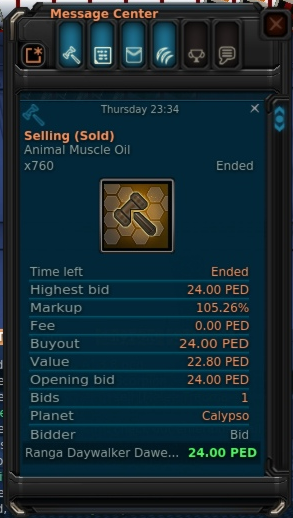
Animal Eye Oil and Animal Muscle Oil are perfect to start trading, not only are they the most traded items in Entropia, they do not need refining before crafting and can be brought and sold directly as they are.

The next step up from that is Lysterium Ingots and Belkar Ingots, These two are the next most traded items in Entropia, just below Animal Eye Oil and Animal Muscle Oil. Ingots are easier to sell than ore, and any ore brought will need to be refined.

Iron Ingot and Caldorite Ingot are the next most sold out of all the resources. These resources are harder sell than the above resources, not only because less are brought, but each single unit has a bigger trade terminal value, this makes it harder to to adjust the percent in the auction. These resources also need to be refined if brought in ore form before selling.

Because of the high market activity of these resources, all these resources are perfect to get started with a small quick turnover, the profit on these will be small, but constant. Other resource tend to be sold in bigger bulks due to their slower market page.

What is what percent?
The best way to get a good idea of the current prices is to look on the auction, the auction with the lowest buyouts on an item is the bulk price of that item. These stacks tend to be the biggest on the auction. Street price is always below bulk price. Smaller stacks on the auction tend to go for higher prices, this is retail price.

What is not good to resell?
Items that are valueless to the system, some of these for an example are: Vibrant Sweat, Blazar Fragment, Nova Fragments, Calypso Bone Samples (Mission). If you intend to buy valueless items, it is best to buy to use, not buy to resell.

If you are looking to invest into something, you will want security, this is provided by the system,
if you spend 101 on 100 PED of resource at trade terminal value, at worse you will lose 1 PED.

If you spend 101 PED on Vibrant Sweat, and the price suddenly drops to half its value, you will lose 50.50 PED.

Wednesday, 27 February 2019

Guide: Crafting Basics

This guide will teach you about the basics of crafting. Here you will learn about using resources gathered from hunting and mining to create clothing, tools, armours, weapons, enhancers, vehicles, furniture and much more.


Crafting Equipment

To craft all you need is a blueprint of what you want to craft and the resources that blueprints requires to craft with. You are able to buy a number of basic blueprints perfect for people new to crafting and blueprint books from a technician.

Blueprint books are not needed for crafting, the books are simply designed to keep your blueprints organised.

You can acquire further blueprints from other players, on the auction or from crafting. There is a small chance of blueprint being created from crafting.

Construction machines are located across the major settlements on any planet in Entropia, these machines along with your blueprint and resources needed for construction is what you use to construct with.

To find out what resources a blueprint requires, right click the blueprint to bring up the item information screen. You can also see this information from a construction machine.

To acquire the resources needed, learn more about trading here.

Construction Machine

Once you have the blueprint and resources required for the blueprint, right click on a crafting machine. You will see the following window with a list of blueprints you currently own.


Here you have an overview of each blueprint, its success rate and how many attempts you currently have with the resources you got. Note that this includes resource stored in storage on that planet, not just resources in your current inventory, and this is also solely determined by ingredients, and is not the same as the number of attempts left on a limited blueprint.

Clicking on any of these blueprint will highlight addition information at the bottom of the window including the resource you have and require for the construction.

The filter button at the top of this window will allow you to filter and search what blueprint you want show.

Double clicking any of these blueprint in the list or clicking the construction tab at the top of the window will take you to the highlighted blueprints construction screen.


Construction

This next screen will show a number of buttons and dials. From here you will be able to select how many construction attempts you wish to undertake and adjust your focus to quantity and condition.


The quantity and condition bar will adjust your level of success compared to the quality of your outcome. Quantity will provide a better success rate, but each construction will be mediocre in value. Condition will offer higher value results, but will be more likely to fail in each construction.

When you are confident with the choice you have made, the construct will start the construction, the stop button will halt production.


Quality Rating/Condition (QR/CD)

If the blueprint is unlimited, the number displayed is the quality rating of that blueprint. If the blueprint is limited, the number displayed is the condition of that blueprint.

As you use a unlimited blueprint, there is a chance the blueprint quality can be improved leading to better success with the blueprint in the future. Limited blueprint do not improve over time.


Residue

The residue options in the top right of the window allows you to fill in the value of a tool or weapon. Residues are produced as a byproduct from crafting different materials. 

When constructing limited items, you will want to create items with the maximum trade terminal value, when constructing without residue the value of an item will more than likely be under its maximum value, this can make an item harder to sell.

Residue is used to fill in the remaining value on an item to create items with maximum trade terminal value.


Male Or Female?

If you are constructing a clothing or armour blueprint, two buttons, “Male” and “Female”, will appear. These buttons allow you to choose for which gender the item should be designed. Males cannot equip female clothing or armour, and vice versa.


Supply And Demand

The most important factor to whether a crafter is successful or not is their ability to understand the cost of what it is they are crafting and peoples demand for what is being crafted. Every profession requires a little bit of trading savvy to be successful, as it is an integral part of the game, but non more so than crafting is the ability to trade most important.

First you must understand your ability to produce the item in question, if your success rate is 80%, you must understand that roughly one in every five times you will fail, and must be factored in.

The second thing you must factor in, is the price of the resources you wish to purchase, it is easier and cheaper to buy the resources needed than to go out and find the resources yourself.

Thirdly and one of the more important factors is the ability to sell what you produce, demand is an important factor in trying to sell an item.

Many miners will refine their own resource before selling, but hunter do not tend to refine hides or wools, where as a crafter you are more likely to look for refined resources when buying, sometimes it might be worth looking the unrefined forms. Although refining is not needed it maybe handy.

Finally, you never want to sell anything you produce back to a trade terminal, the best way to sell loot is to another player, you will always get more PED from a player than you would from a trade terminal. Anything you are unable to sell, save in your storage to sell later.

To learn more about trading in general click here.


Guide: Mining Basics

This guide will teach you about the basics of mining. Here you will learn about locating ore and energy matter veins, extracting resources and summoning from claim deeds.


Equipping Equipment And Basic Controls

To view your inventory press "I", here you can access your mining equipment under the tools tab. Right click the item to access its options. From here you can view details of an item or equip an item by right clicking it. Mining equipment consists of a detector, an extractor and mining probes.

The "E" key (Default) is to use a tool, the "F" key (Default) is to auto-use the extractor.

You are able to create custom controls to use tools, auto use tools and to quickly switch between detector an extractor, you can learn more about the edit panel here:
Guide: Edit Interface


Detecting Ore And Energy Matter

When you have any detector equipped you will see the detector window, in this window you are able to see a radar with 3 buttons below, these buttons are for selecting which type of type of resource the detector should search for.

The first button is to search for matter, the second button is to search for energy matter, and the last button is used
for searching for treasures on certain planets. The treasure option is specific to some planets, and will be unavailable on some planets.

Over the right bottom side or the detector window, the detector will display how many mining probes each detection attempt will use, devices that use more probes tend to find bigger deposits, but this is also highly dependent on skill level.

A smaller mining range contains larger findings that are more difficult to find compared to a larger
mining range with smaller findings that are more easy to find.

Mining probes and basic mining equipment can be purchased from a trade terminal. If you are under level 10 it is recommended that you use equipment in the trade terminal or from the starting missions. Some other detectors you can use under level 10 are, Finder F101, Ziplex Z1 Seeker, Rookie TerraMaster, Genesis Star Rookie Finder (L), Imperium Trainee Finder (L) and TerraMaster 1 (L)

When you have selected what you want to detect and are standing where you want to mine, right click the ground or press "E" (default key) and use your tool, or use what ever control method you prefer to use the tool.

Once a probe has been dropped, the detector window will display if a deposit has been found or not. If a deposit has been found a claim beacon will appear in the world, a claim deed will be placed in your inventory and the detector will guide you to the location of the claim beacon. The detector will also display additional information about the claims it finds, the range, the depth and what resources it has found if this information is available.

Summon Claim And Extract

To extract resources you simply have to equip and use an extractor on a claim beacon that you own, click the claim beacon and press "F" (Default Key) start auto extracting. If you are unable to reach a claim beacon due to the terrain being awkward, you are able to summon claims close to you using the claim deed placed in your inventory.


Track Your Findings

If you want to mine the most efficient way, you need to spend a little money on locating a good mineral field. The best way to do this is testing new locations, it is a good idea to keep a records of your finding locations and resource type. Each area is be unique in what resources you find, try many locations for different resources.

With a mixture of sticky notes and waypoint links, storing this information in game with no extra tools can be very easy. To learn more about sticky notes, chat commands and keyboard controls, click here: Guide: Edit Interface


Amplified mining

You can attach attachments to your detector tool to help improve your ability to find resources. Although it has the potential to cost more to use, the chances of finding larger amounts of resource are a lot more likely.

To equip attachments to an items, simply drag the attachment to equipment it is designed for. To view what attachments are attached to an item, view its item info. On the item info screen you will be able to individually detach attachments.


Limited And Unlimited Equipment

Some equipment can be repair and some equipment is disposable once used. Items with an (L) in the name are limited items. Limited items can not be repaired and are disposed of when they can no longer be used by selling them to the trade terminal. Items without the (L) in the name can be repaired at a repair console for PED.


Tier And Enhancers

Equipment has the ability to level up to unlock sockets, this is known as the tier level of an item. Sockets allow you to add enhancers to equipment to modify the statistics of an item.

Limited (L) items have the ability to unlock sockets when they tier up automatically, and continue to level up. Unlimited items require resources to tier up when they reach the required level to unlock a socket and continue to level up. When an items is ready to be upgraded, the resources used in the upgrade will be converted to shrapnel.

Enhancers can be attached at the bottom of the equipment info screen. Each enhancer can only be attached to the sockets number equal to the enhancer level, for example, a Mining Finder Depth Enhancer 2 will only go into the second socket of a mining detector device. Enhancers can stack and do not degrade like other equipment, rather they have chance of one being destroyed every time you use the item.

The chances of this happening is very small, but because the chances of enhancers break is down to luck, you can use one for ages and then break few in a row. Enhancers have a lower chance of breaking on a limited tool. When enhancers break they will return the trade terminal value in shrapnel.


Loot!

When you have finished mining, you will want to sell your loot, the best way to sell loot is to another player, you will always get more PED from a player than you would from a trade terminal. Anything you are unable to sell, save in your storage to sell later.

Many miners will refine their own resource before selling, not only to help with weight when going out on longer mining runs, but it also helps with selling the resources, a crafter is more likely to look for refined resources when buying. Although refining is not needed, as many resellers are happy to buy ore and refine it to sell.

This is a very important factor to whether a miner is successful or not. Every profession requires a little bit of trading savvy to be successful, as it is an integral part of the game.

To learn more about trading in general click here.

Guide: Hunting Basics

This guide will teach you the basics of hunting. Here you will learn about weapons, healing, armour,  attachments and other combat enhancing items.


Equipping Equipment And Basic Controls

To view your inventory press "I", here you can access your healing tools, armour parts and weapons. Right click the item to access its options. From here you can view the details of an item or equip an item by right clicking it. Clothing is purely aesthetic and does not offer protection of any kind.

To target a creature simply click on it, an arrow will appear above the creatures head with the name and level of the creature and the health bar of the creature. Click the creature again to use your equipped weapon. The "F" key (Default)  will auto fire.

To target yourself for healing, you can use your health bar on your HUD while your healing tool is equipped. To heal others you can click their avatar, or if in a team their health bar. The "F" key (Default)  will auto heal. You can use the use tool key "E" (Default).

You are able to create custom controls to auto fire and to quickly switch between weapons, tools, and armour sets, you can learn more about the edit panel here:
Guide: Edit Interface


Weapons

Doing more damage is not simply down to buying a better weapons, skill is heavily involved in your ability to inflict damage and your ability to be accurate with a weapon. Using a weapon far above your skill level will cause you to waste ammo on missed shots and weaker damaging hits.

There are many types of weapons. Short blades, long blades, pistols, rifles, laser, BLP(bullets), explosives are a few examples. Using a weapon of one type can help improve skills in using other weapons, for example, using a laser pistol will give skill in laser rifles and BLP pistols.

Close combat weapons will help improve strength, which will improve your carrying capacity. Close combat can also increase your maximum health points. Some of the skills even carry across into other professions like weapon crafting skills, for example laser weapon technology.

If you are under level 10 in any skill it is recommended that you use the weapons in the trade terminal in game, use the starter pack on the web store, or use any of the weapons acquired from the new player missions. Weapons can also be purchased from other players in game for a markup. Ammo can be purchased from a trade terminal or converted shrapnel.

Some of the weapons suitable for under level 10 include: Solomate Rubio (L), Solomate Onyxo (L), Sollomate Azuro (L), EWE EP-1 Neutron (L), EWE EP-2 Proton (L), Skildek P30 (L), Skildek Lancehead (L), Castorian Combat EnBlade-B (L), Solomate Opalo, Bukin's Spare Rifle, Z12 Barbarella, Omegaton M2100, Castorian Combat EnBlade-A.

To be efficient in hunting you want a weapon which has the most bang for bucks, not only in ammo consumption for damage, but also how much markup you pay for a weapon. To be effective in hunting, just like any other professions, you want be smart on what you spend on your equipment.

A good example of being smart with what you have is buying shrapnel for 100.1% to 100.9% and converting it to universal ammo, as every 100 shrapnel converts to 101 ammo, buying shrapnel under 101% and converting it will provide more ammo than just simply buying it from a trade terminal


Defence And Healing

Getting hit in close combat will help improve evasion skills and getting shot will help improve dodging skills. Using close combat weapons can also increase your maximum health points. These abilities will naturally make you more resilient in combat. Evade and dodge can save you PED in healing and armour repair and replacement costs.

With the weaker robots and animals in Entropia, armour is not needed, but a healing device is an essential. Most of the lower level creatures will not be able to out damage most of the basic healing tools.

There are 7 armour parts to each armour set, hands, arms, head, chest, thighs, shins and feet. Some armours sets have a special ability when all parts are worn. For example the gold and platinum starter pack Adjusted Harrier Armour grants an extra 8% to running speed when the full set is equipped.

Every armour protects against certain types of damage, where some armour sets maybe more suited to hunting a creatures with particular types of damage, hunting creatures your armour is not designed for will offer little protection and will cost more in repairs and replacement.


Attachments

You can attach a number of attachments to your equipment to improve its statistics. A gun can be equipped with an amp, laser sight and scope to enhance damage,  accuracy and skill gain ability. Armours can have plating attached to enhance its defence. Every one of these attachments have their own trade terminal value and degrades like any other equipment.

To equip attachments to an items, simply drag the attachment to equipment it is designed for. To view what attachments are attached to an item, view its item info. On the item info screen you will be able to individually view and detach each attachments.

When an attachment runs out of trade terminal value, the weapon will no longer fire until the attachment it detached or repaired.


Limited And Unlimited Equipment

Some equipment can be repair and some equipment is disposable once used. Items with an (L) in the name are limited items. Limited items can not be repaired and are disposed of when they can no longer be used by selling them to the trade terminal. Items without the (L) in the name can be repaired at a repair console for PED.


Tier And Enhancers

Equipment has the ability to level up to unlock sockets, this is known as the tier level of an item. Sockets allow you to add enhancers to equipment to modify the statistics of an item.

Limited (L) items have the ability to unlock sockets when they tier up automatically, and continue to level up. Unlimited items require resources to tier up when they reach the required level to unlock a socket and continue to level up. When an items is ready to be upgraded, the resources used in the upgrade will be converted to shrapnel.

Enhancers can be attached at the bottom of the equipment info screen. Each enhancer can only be attached to the sockets number equal to the enhancer level, for example, a Weapon Damage Enhancer 2 will only go into the second socket of a gun. Enhancers can stack and do not degrade like other equipment, rather they have chance of one being destroyed every time you use the item.

The chances of this happening is very small, but because the chances of enhancers break is down to luck, you can use one for ages and then break few in a row. Enhancers have a lower chance of breaking on a limited tool. When enhancers break they will return the trade terminal value in shrapnel.


Other Useful Equipment

A number of other useful items exist to enhance your combat capability and efficiency. Everyone has access to loot collection pills, these pills can be purchased from any trade terminal and costs 0.50 PED per pill. Loot pills can automatically collect loot from dead creatures within 20 meters and each pill lasts for an hour.

This is just one of many of the combat enhancing drugs that can be purchased, Neurobiotic Boosters provide a skill boost bonus and different Neurostims provide different boosts, reloading speed boosts, health regeneration, faster running speed, are some for example.

Rings also provide an improvement to your abilities in combat by providing a constant boost to your statistics. Rings provide effects like pills, but without the short time limit. Each player can wear 1 ring per hand, check on the ring's information screen to see which hand it is for. Rings are classed as clothing and are found in the clothing tab.


Loot!

When you defeated you pray, do not forget to collect your loot, the "F" key (Default) will loot your target. When you have finished hunting, you will want to sell your loot, the best way to sell loot is to another player, you will always get more PED from a player than you would from a trade terminal. Anything you are unable to sell, save in your storage to sell later. Some of the hunted items are easier to sell after being refined.

This is a very important factor to whether a hunter is successful or not. Every profession requires a little bit of trading savvy to be successful, as it is an integral part of the game.

To learn more about trading in general click here.